REPORTS
Click Reports on the navigation bar
IMS-OS 2.0 Reports page is divided into five Main Categories:
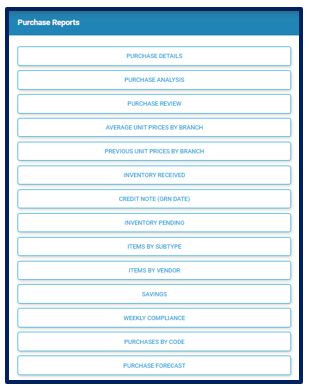
These reports are used to view and track how much money was spent for the period selected. Best reports to view:
Purchase Details
Purchase Analysis
Purchase Review
Inventory Received
Weekly Compliance
Purchase Forecast
Inventory Reports
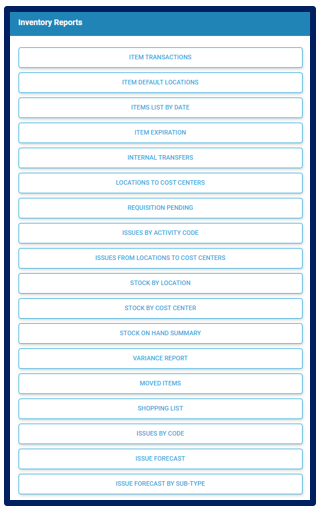
- These reports are used to view and track the movement of Inventory in select outlets based on period selected. Best Reports to view:
Item Transaction
Item Expiration
Location to Cost Center
Internal Transfers
Issues Pending
Issues from Locations to Cost Centers
Stock by Location
Stock by Cost Center
Stock on Hand Summary
Variance Report
Transfer In
Transfer Out
Shopping List
Issues Forecast
Cost of Sales Reports
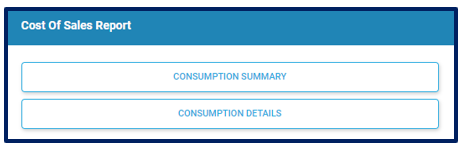
- These reports are used to view and track the usage of Inventory based on the period select:
Consumption Summary
Consumption Details
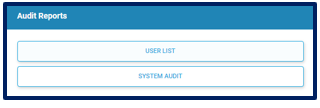
Audit Reports
- These reports are used to view activity on Users and audit system quantities:
User List
System Audit
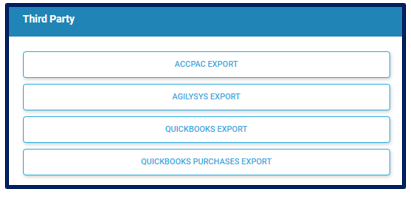
Third Party Reports
- These reports are used to export data from IMS-OS to be imported into various Accounting Software:
Accpac Export
Agilysis Export
QuickBooks Export
QuickBooks Purchase Export
Note: All Reports mentioned above may not be available to you due to the package purchased.